From the estimate trade details view, select the lines you want to copy down to by ticking the checkbox in the far left column.
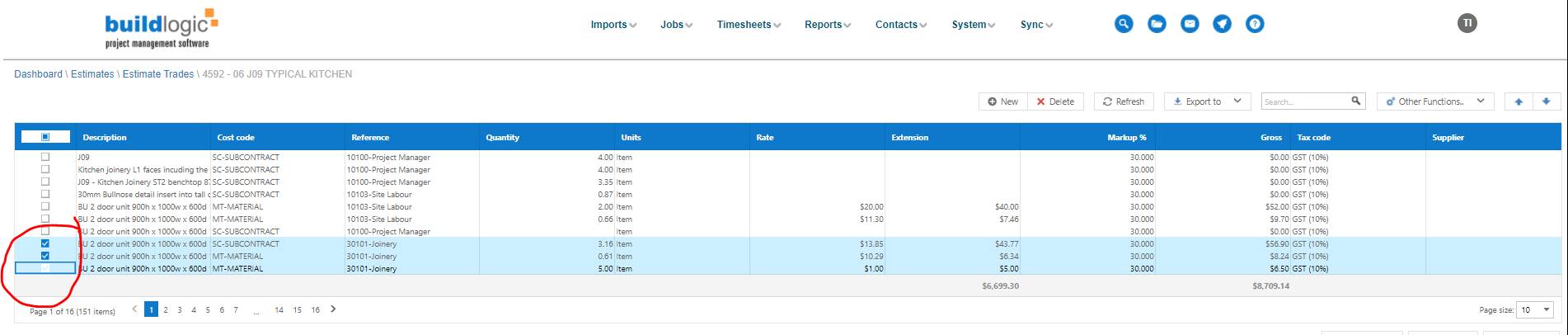
Change the reference code on the first line and then save changes

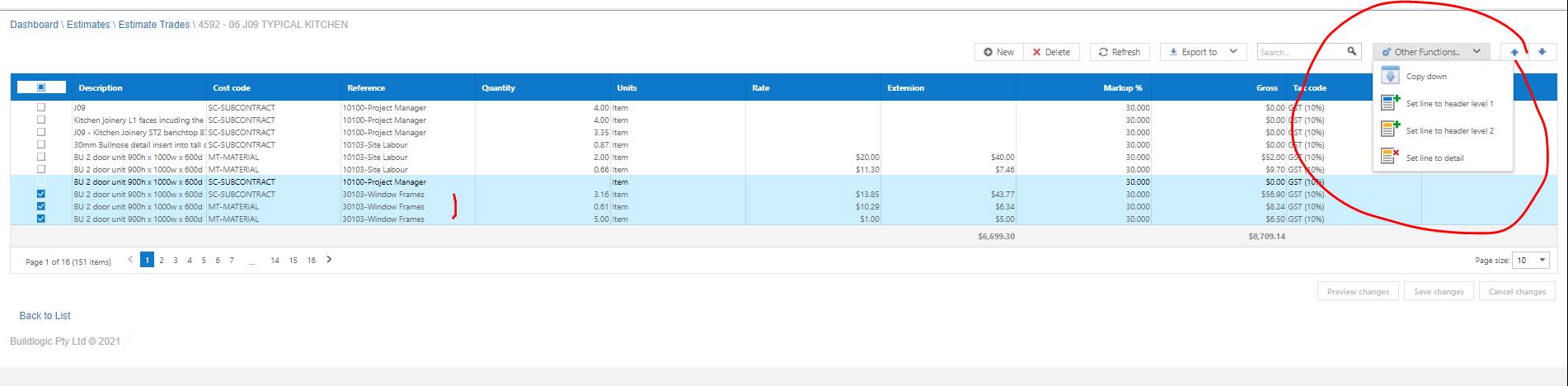
Then from the other functions menu select copy down and that ref code will be copied to all ticked lines.
Was this article helpful?
That’s Great!
Thank you for your feedback
Sorry! We couldn't be helpful
Thank you for your feedback
Feedback sent
We appreciate your effort and will try to fix the article