*To access the system menu you need to be a client administrator*
If you would like to set up Buildlogic in order to import files from Dindo there are a few steps outlined below you should follow:
Dindo Import Set up – Client Administrator function
Go to System > Users and license > Highlight the user and select edit

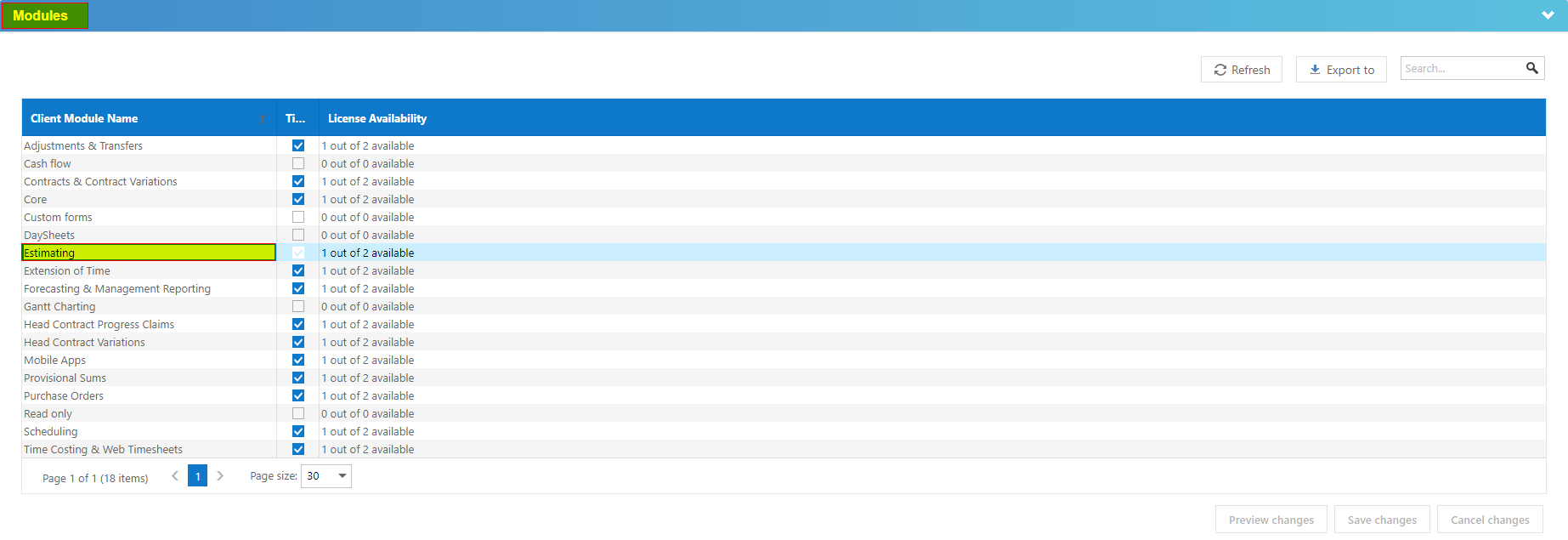
In the User navigate to the modules drop down and highlight Estimating
Under Functions – tick Import from Dindo and save changes
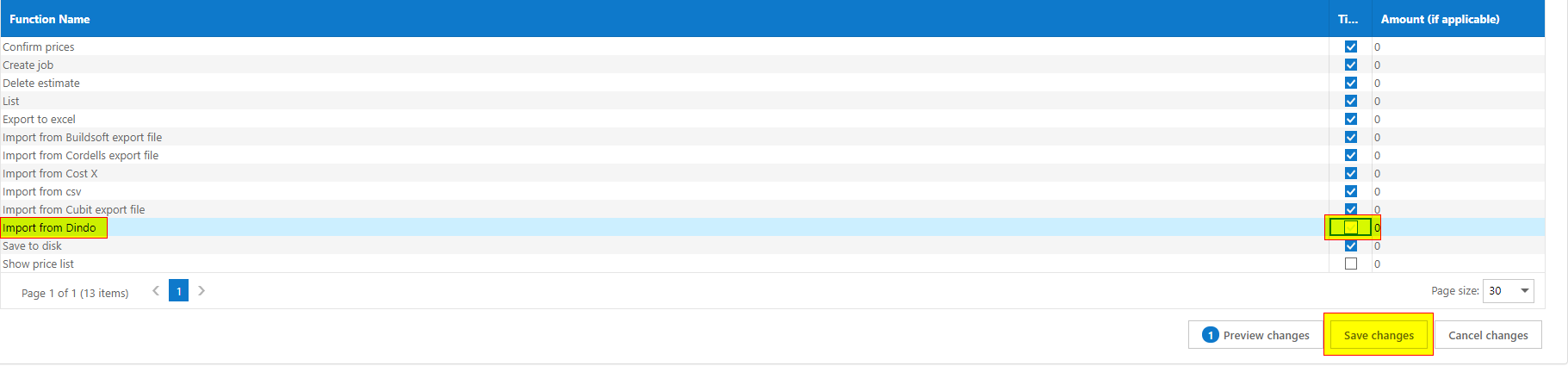
Press F5 or refresh the page on the browser
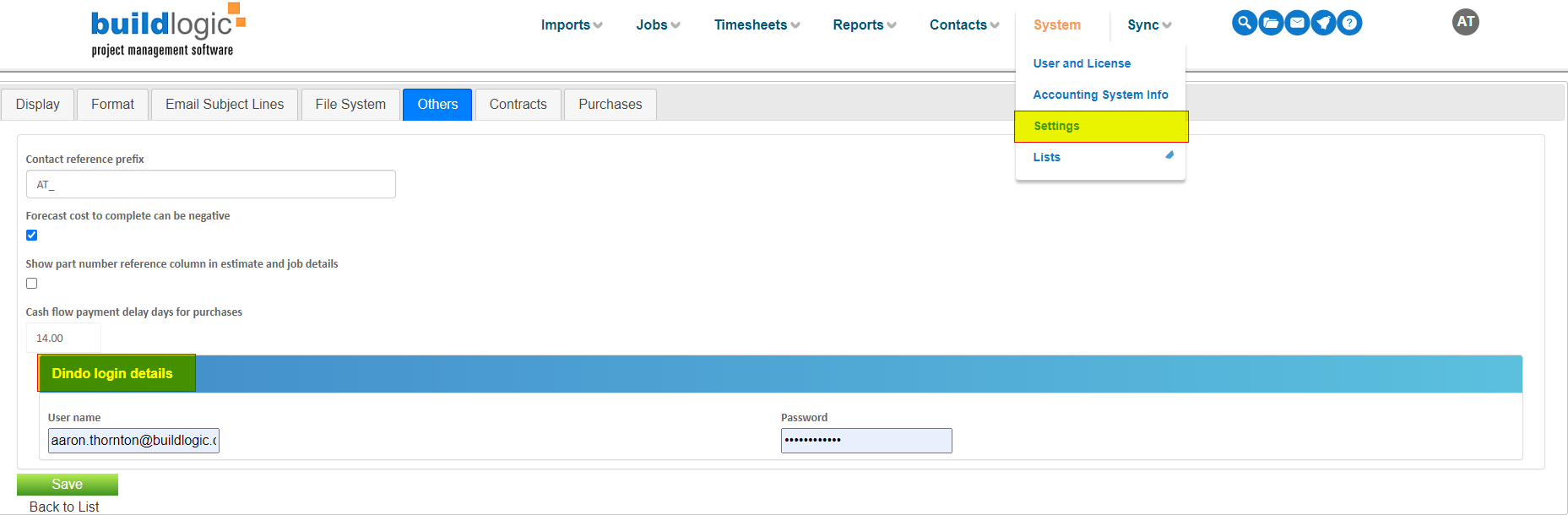
Navigate to System > Settings – Others tab in Buildlogic
There is a new area available to enter in the Dindo user name and password
Enter your Dindo login details and press save
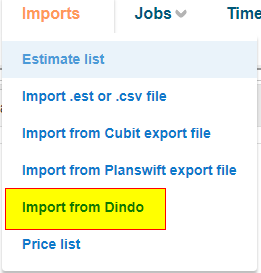
You will now notice an import from Dindo option is also available from your imports menu in Buildlogic
Was this article helpful?
That’s Great!
Thank you for your feedback
Sorry! We couldn't be helpful
Thank you for your feedback
Feedback sent
We appreciate your effort and will try to fix the article