Estimate Options Management Guide
This page allows you to create, edit, and manage Estimate Options within Buildlogic. Estimate Options are used to define variations or selectable components within an estimate.
To enable estimate options an admin user should navigate to System > Settings > Others Tab and enable the setting:
"Show options in estimate details"
Navigation & Access
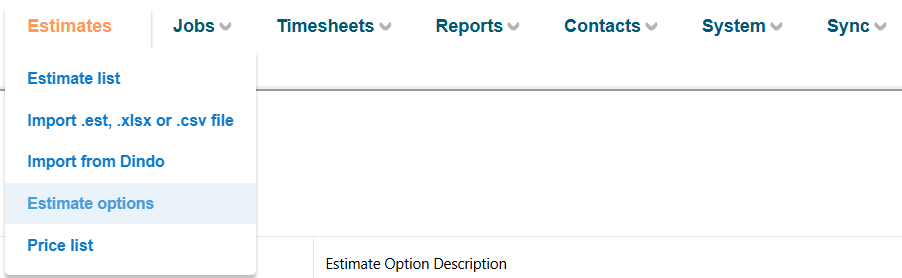
You can access this page via:
- Estimates → Estimate Options
This section is typically used when managing optional inclusions or alternative pricing within an estimate.
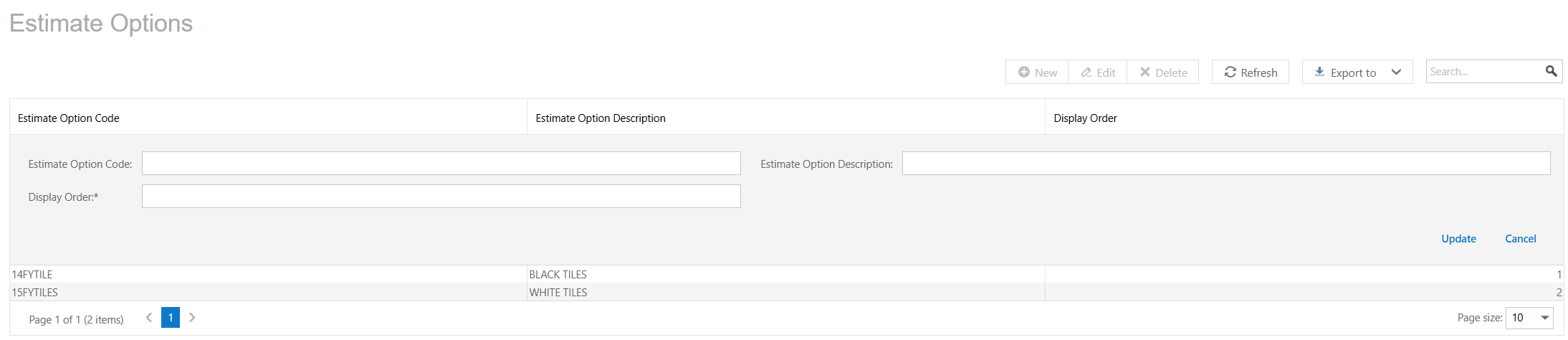
Estimate Options Grid
This allows a user to insert different estimate options that may be available on your quote, a user is able to set as many options as necessary in this screen and select them from the estimate trade detail screen, from the 'options' column.

Was this article helpful?
That’s Great!
Thank you for your feedback
Sorry! We couldn't be helpful
Thank you for your feedback
Feedback sent
We appreciate your effort and will try to fix the article