Estimate Trade Grid Guide
The Estimate Trade Grid allows you to manage, edit, and organise trades within an estimate. This article outlines the key features and actions available.
Toolbar Actions
- Open – Open the selected trade
- New – Add a new trade
- Delete – Remove selected single trade
- Refresh – Reload the grid and save column width/page size settings
- Export to – Export to PDF, DOCX, RTF, or XLSX

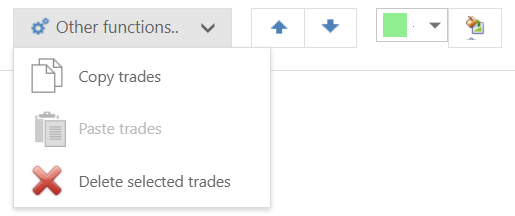
Other Functions
- Copy trades – Copy selected trades
- Paste trades – Paste copied trades (can be pasted into a separate estimate)
- Delete selected trades – delete multiple trades
- Move Up – Move trade up (will update estimate trade list order if there are missing numbers)
- Move Down – Move trade down
- Apply Colour – Apply colour to selected rows
View Options
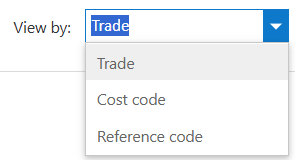
Use View by to change how trades are displayed:
- Trade
- Cost code
- Reference code
Grid Columns
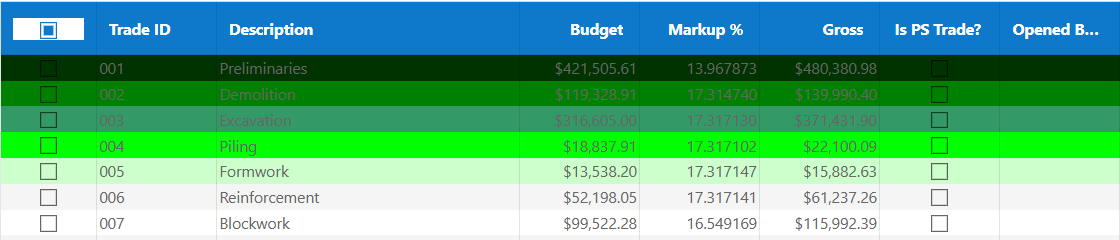
| Column | Description |
|---|---|
| Trade ID | Unique trade identifier set by system, updated by using the move up/down arrows |
| Description | Trade name |
| Budget | Net value |
| Markup % | Markup percentage |
| Gross | Total including markup |
| Is PS Trade? | Indicates provisional trade |
Editing & Calculations
- Editing Markup % automatically updates Gross
- Editing Gross recalculates Markup %
- Double-click a row to open and edit trade detail
Search & Navigation
- Use the search box to filter trades
- Navigate between pages at the bottom of the grid
- Adjust page size at bottom right (10, 20, 30, 50, 100, All) save selection with refresh button above table
- Adjust column widths and use refresh to save your setting

Was this article helpful?
That’s Great!
Thank you for your feedback
Sorry! We couldn't be helpful
Thank you for your feedback
Feedback sent
We appreciate your effort and will try to fix the article