Estimate Details Tab
The Estimate Details tab is used to create and manage core information about an estimate, including client details, pricing, contract values, and site information.
Tabs Overview
- Details – Main estimate information
- Other – Additional configuration options
(Scope, considerations and documents fields can be inserted into templates) - Notes – Add notes to the estimate, send an email from the estimate, attach documents to the estimate.
- Activity Log – View change history
Estimate Details
General Information
- Code – Unique identifier for the estimate, this will become the job number.
- Revision – Version number of the estimate, can be manually set or left blank if N/A.
- Description – Name or description of the project
- Current – This checkbox allows a user to archive an estimate, checked is current unchecked is archived.
- Status – Estimate status (e.g. New, Won, Lost. Buildlogic admin customisable list: Estimate Status List)
- Estimate Owner – User responsible for the estimate

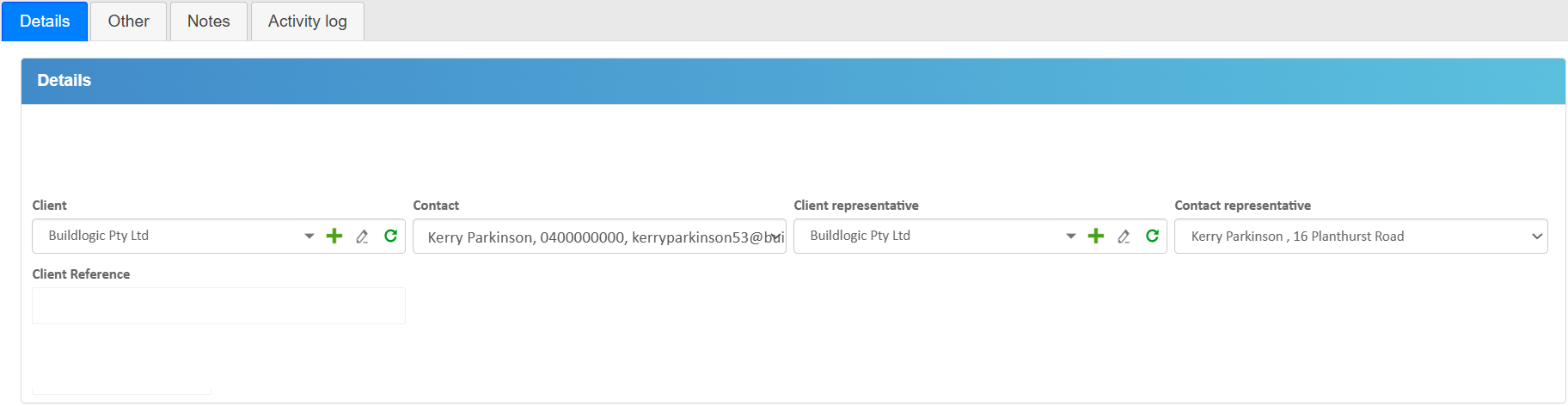
Client Information
- Client – Select or create a client
- Contact – Primary contact for the client
- Client Representative – Client-side contact
- Contact Representative – Contact details for the representative
- Client Reference – Client-provided reference if applicable
Project Settings
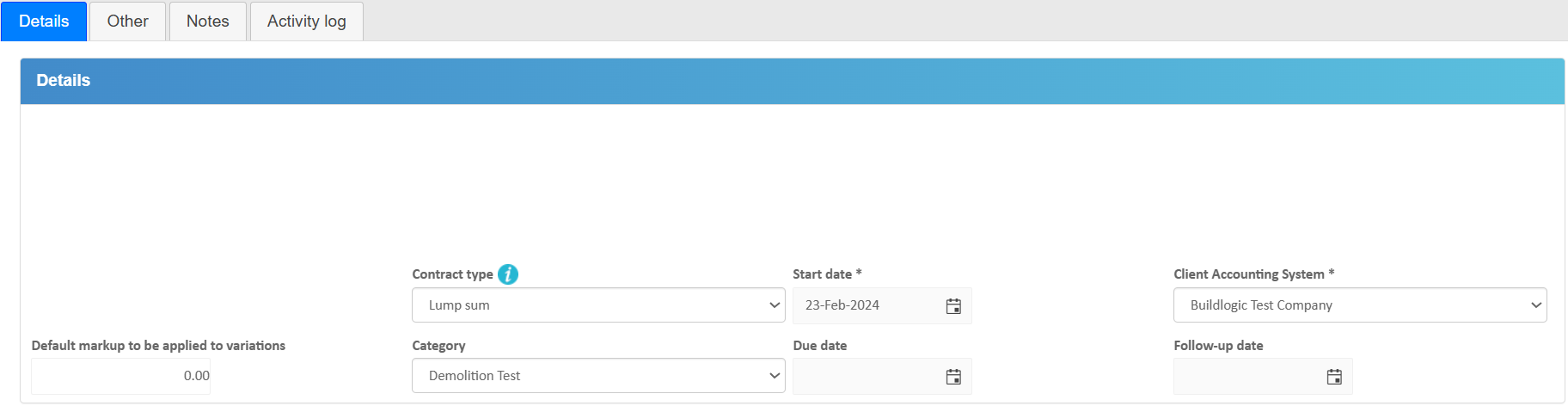
- Contract Type – Project type (e.g. Lump Sum, Cost Plus, Design & Construct: Contract Type)
- Start Date – Expected start date
- Client Accounting System – Linked accounting system
- Category – Classification of the estimate (admin customisable list: Categories List)
- Default Variation Markup – Default markup applied to variations, system will automatically set this when a user creates a variation, can be changed any time this is just the default.
- Due Date – Estimate due date
- Follow-up Date – Next follow-up date
Contract Values
- Total Budget – Total estimated cost before markup
- Estimate Markup – Percentage markup applied
- Total Contract – Contract value including markup
- Estimate Markup ($) – Dollar value of markup
- Tax on Contract – Calculated tax amount
- Total Contract Incl Tax – Final value including tax
Actions
- Apply Markup – Recalculate contract totals after changing or setting estimate markup
- Update Rates from Price List – Refresh pricing based on supplier price list, updates any priced items in an estimate.

Site Address
- Search Address – Use address lookup to autofill address details
Actions
- Save – Save changes to the estimate
- Auto Save – Changes are saved automatically as you edit in most circumstances
- Export to Excel – Export estimate data to XLSX for re-import or external use

Reports & Exporting
- Templates – Select from available estimate templates, fully customisable on user end, contact support if not sure how to create new templates.
- Preview – View report before export
- Export Options – Word, PDF, Excel
- Email – Send estimate template directly via email
- Set Template as Primary – Set selected template as the default (appear first in drop down list)

Was this article helpful?
That’s Great!
Thank you for your feedback
Sorry! We couldn't be helpful
Thank you for your feedback
Feedback sent
We appreciate your effort and will try to fix the article