Timesheet User Assigning (Enter Times On Behalf Of Others)
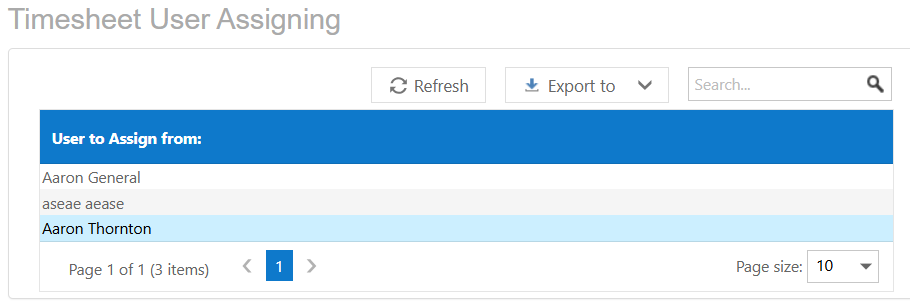
The Timesheet User Assigning screen allows administrators to control which users can enter timesheets on behalf of other users.
Access
- Navigate to Timesheets
- Select Assign Timesheet Users
User Selection
- User to Assign From – Select the user whose permissions you want to manage
Selecting a user will load their assigned permissions in the grid on the right.
Assigned Users Grid
- User to Assign To – The user who can potentially enter timesheets on behalf of the selected user
- Can Add Time on Behalf Of – Checkbox to allow or restrict timesheet entry permissions
Tick the checkbox to grant permission for the selected user to enter timesheets on behalf of another user.

Notes
- Permissions control whether users can submit timesheets for others
- Changes are not applied until saved
- Ensure permissions are set carefully to maintain data accuracy
Was this article helpful?
That’s Great!
Thank you for your feedback
Sorry! We couldn't be helpful
Thank you for your feedback
Feedback sent
We appreciate your effort and will try to fix the article