Adding Supplier Invoice Documents to Contractor Claims & Purchase Orders
You can attach invoice documents directly to contractor claims and purchase orders in Buildlogic using a drag-and-drop upload area.
Uploading Invoice Documents
On the contractor claim or purchase order edit page, you will find a Drop invoices here box. There are two ways to add files:
- Click the Browse button to open a file browser and select one or more files from your computer.
- Drag and drop one or more files directly from your computer's file explorer into the upload area.
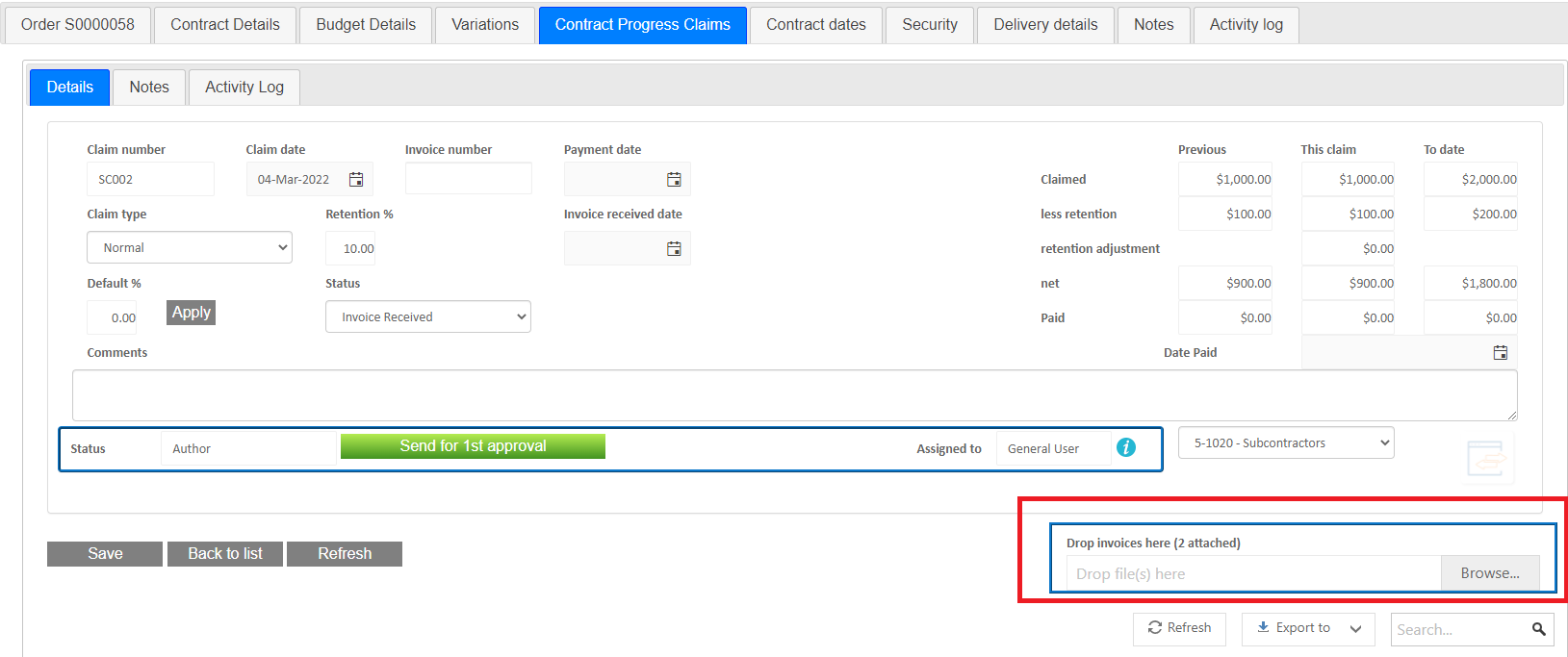
After uploading, a new note of type Invoice is automatically created against the claim or order record, with the file attached.
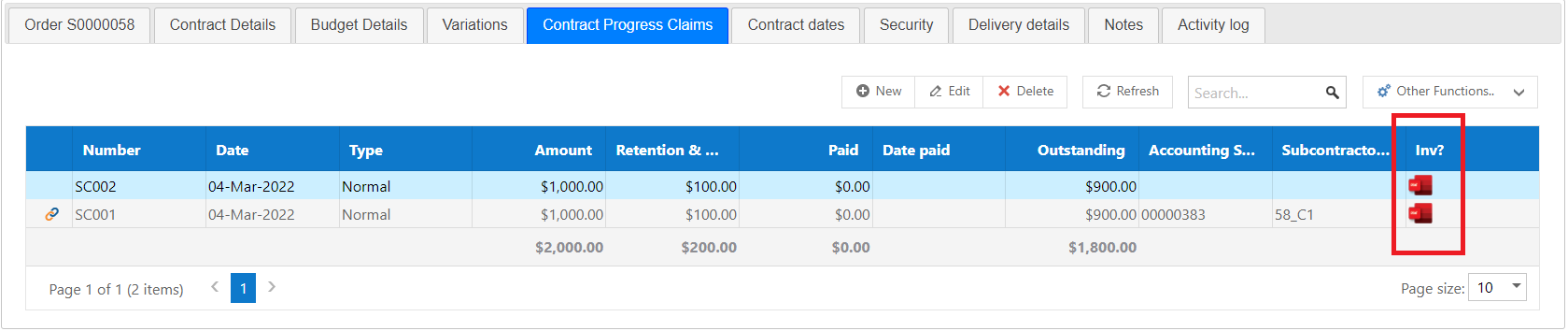
Downloading Invoice Documents
Any attachments linked to a note of type Invoice can be downloaded directly from the Contract Progress Claims list by clicking the PDF icon on the right-hand side of the relevant claim.
If a user needs to remove any uploaded document, they can find the note in the notes tab, edit it and remove the attachment from the note.
See also: Downloading Cost Plus Invoice Documents
Was this article helpful?
That’s Great!
Thank you for your feedback
Sorry! We couldn't be helpful
Thank you for your feedback
Feedback sent
We appreciate your effort and will try to fix the article