Subcontract Budget Details vs Contract Details
Buildlogic separates a subcontract's internal budget from what is presented to the contractor, giving you full control over how your contracts are structured and communicated.
How It Works
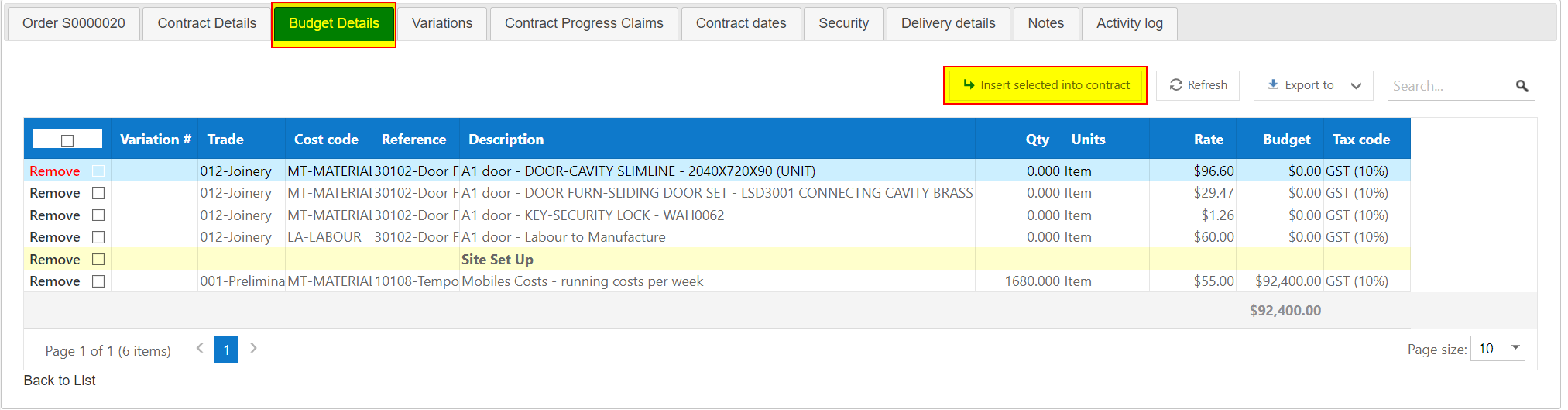
When you assign budget lines from your job to a subcontract, those lines flow into the Budget Details tab. Think of this as a holding area - it's your internal record of what the contract is worth.
The Contract Details tab is the actual subcontract - this is what appears on your templates and documents sent to the contractor.
The separation between the two tabs is what drives the Gain/Loss figure shown at the top right of the subcontract.
Building the Contract Details
Once your budget lines are in the Budget Details tab, you have three options for building the contract details:
Option 1 - Copy Budget into Contract
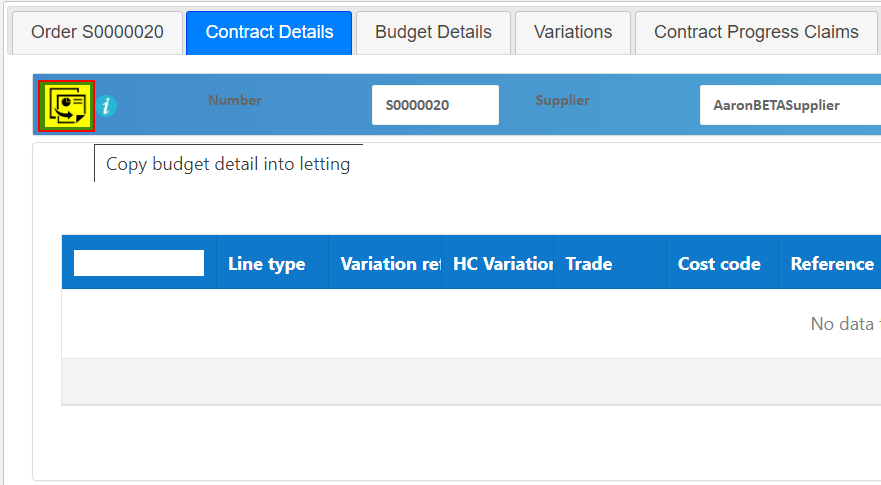
If your budget lines are already structured in a way that makes sense to present to the contractor, click Copy Budget Detail into Letting in the Contract Details tab. This copies all lines from the Budget Details tab directly across.
Option 2 - Enter Contract Lines Manually
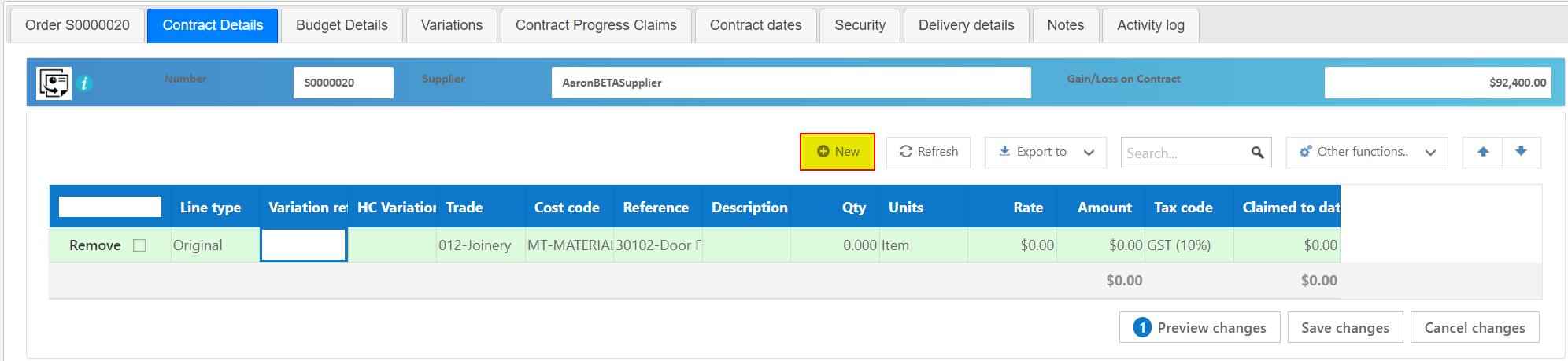
If your budget structure isn't suitable to share with the contractor or contains information you'd prefer to keep internal you can build the Contract Details tab manually. While the contract is in Draft status, click + New to add lines with custom descriptions and amounts. The budget remains tracked separately in the Budget Details tab.
Option 3 - Insert Selected Lines
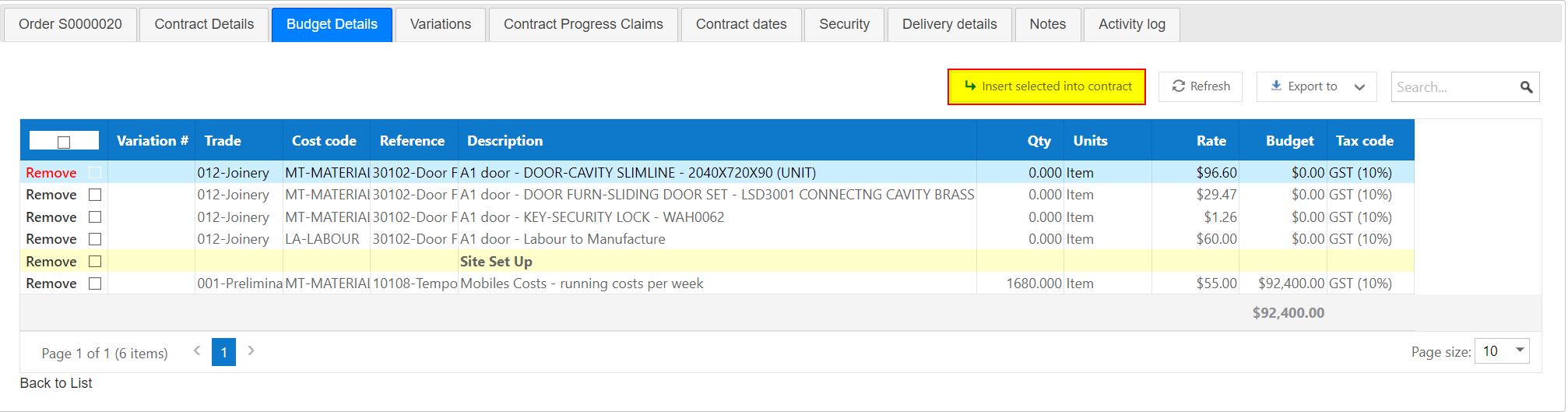
If you only want to pull across specific lines from the Budget Details tab, use the Insert Selected into Contract button. Select the individual lines you want and they will be copied across to the Contract Details tab. This is particularly useful when adding head contract variations to a contract that is already underway.
Tips
- The Budget Details tab is internal only - it never appears on contractor-facing documents.
- The + New button in the Contract Details tab disappears once the contract is let - any lines added after that point are treated as variation line type rather than original.
- The Gain/Loss figure is the difference between your Budget Details and Contract Details - keep this in mind if you build the contract manually as it may show a loss that isn't real.
- You can mix approaches - assign budget lines, copy some across, and manually add others - whatever suits the contract.
Was this article helpful?
That’s Great!
Thank you for your feedback
Sorry! We couldn't be helpful
Thank you for your feedback
Feedback sent
We appreciate your effort and will try to fix the article