Forms
New forms module allowing users to build their own forms and distribute them via the contact list.
The insurance documents/details gathered via these forms will automatically flow into the approvals widget and once approved into the contacts certificates section.
A future release will allow you to link forms to certificate types so that automatic reminder emails can be sent out to suppliers to update expiring insurance information.
If you are interested in creating forms to gather insurance documents or other information from suppliers, customers or employees, please let us know.
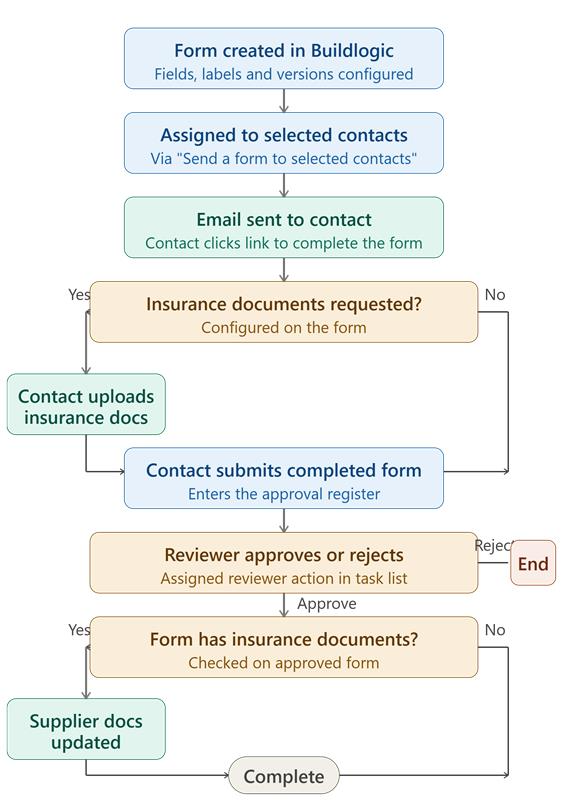
Forms Flowchart:
Users can easily send forms to selected contacts, from the contact list:
All sites can send a small number of forms for free, the limit is increased when module is purchased. Limit displayed in menu.

Forms index shows a user what step each individual form is at in the process, approval status, when the contact viewed the form, etc.

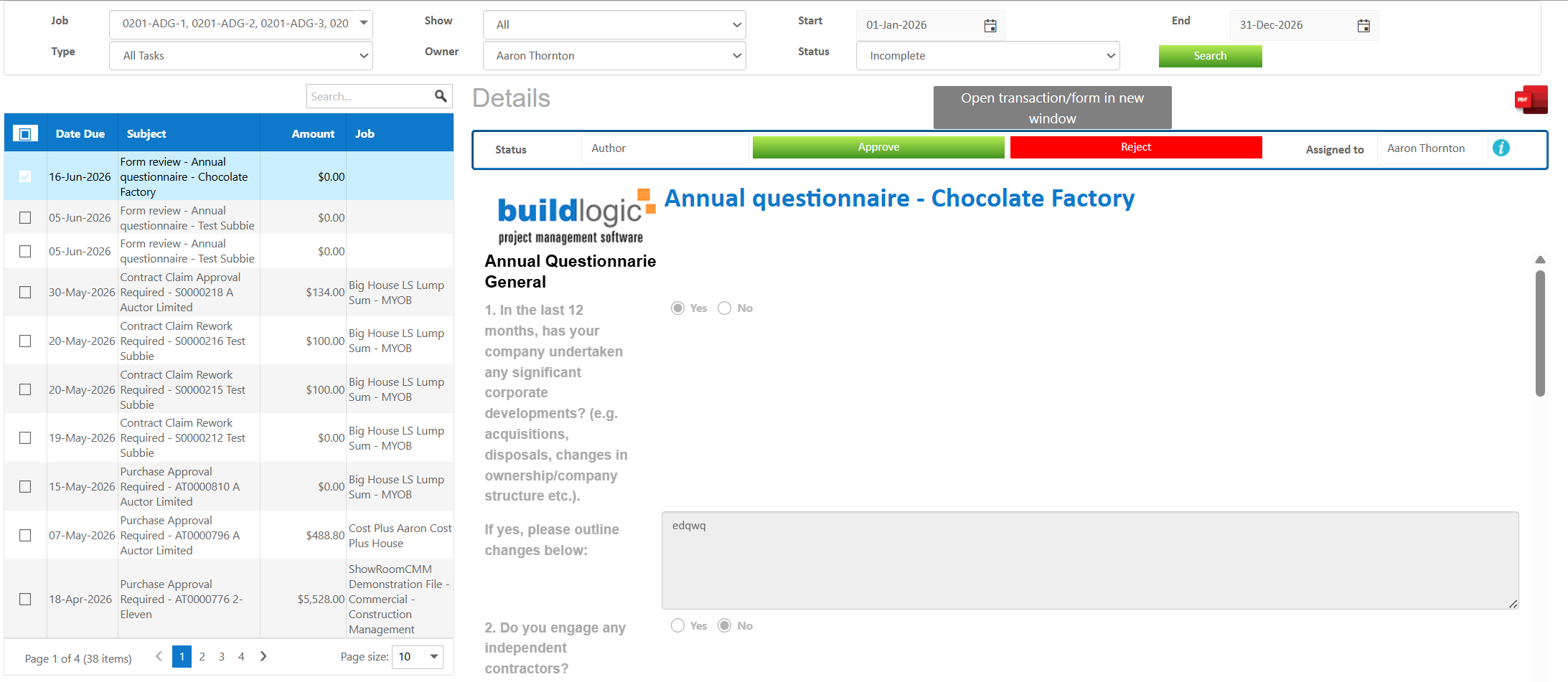
When a form is submitted it will land in the approvals window for the user to view and approve the form, once approved the form will be stored in the associated area, say for example, contact insurance tab for an insurance form.
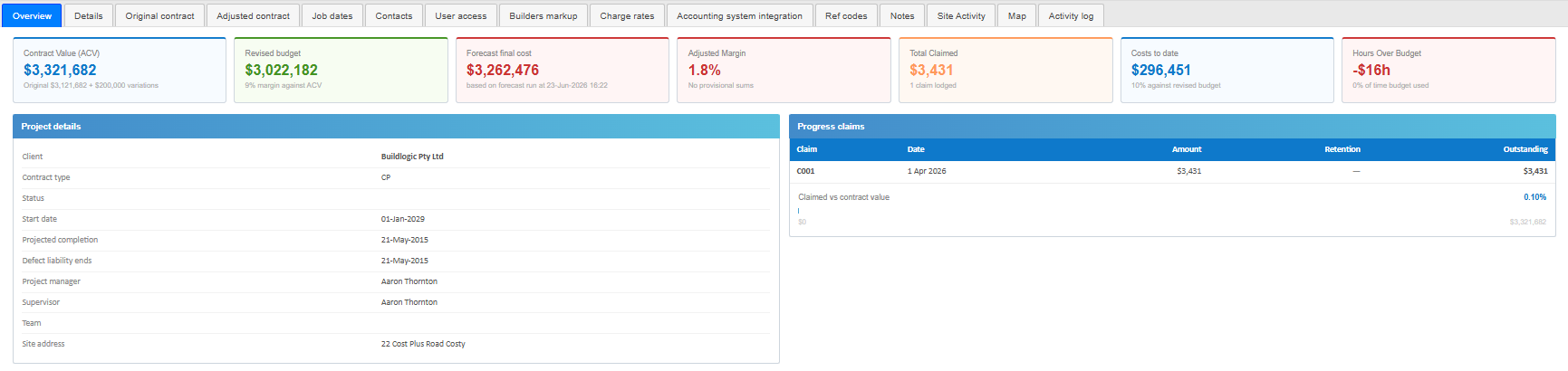
Job Overview Tab
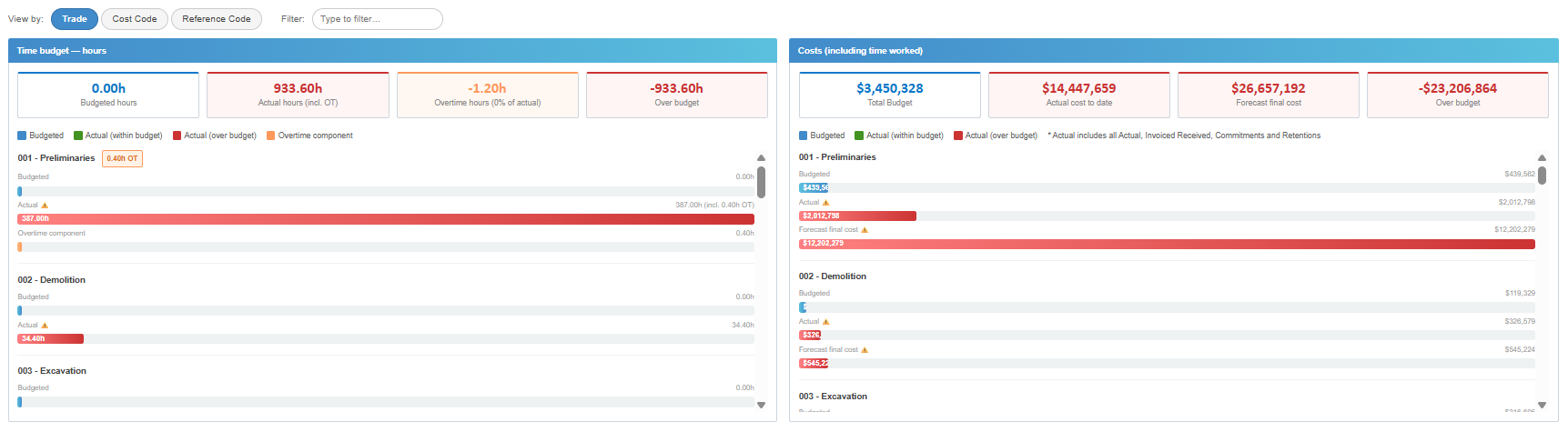
We've added an overview tab to the job screen which will allow users to quickly check different aspects of the job in one area, the overview tab includes data around contract values, progress claims, job dates and other budgeted items,
This tab will be hidden for users who have contract value access disabled in user functions
Add BCC For Purchase And Subcontract Emails Sent From Buildlogic
We've added a new system setting that allows users to include a BCC on emails sent from Buildlogic, a use case could be that a site wants to BCC their invoice processing system or send a copy of each purchase order to an inbox for any other reason.
A Buildlogic admin user can navigate to System > Settings >Contracts/Purchases Tab and enter an email address they would like to BCC. Going forward when they email a purchase or contract out of Buildlogic it will BCC the entered details.

Job Category Automatically Sets For Purchase Orders
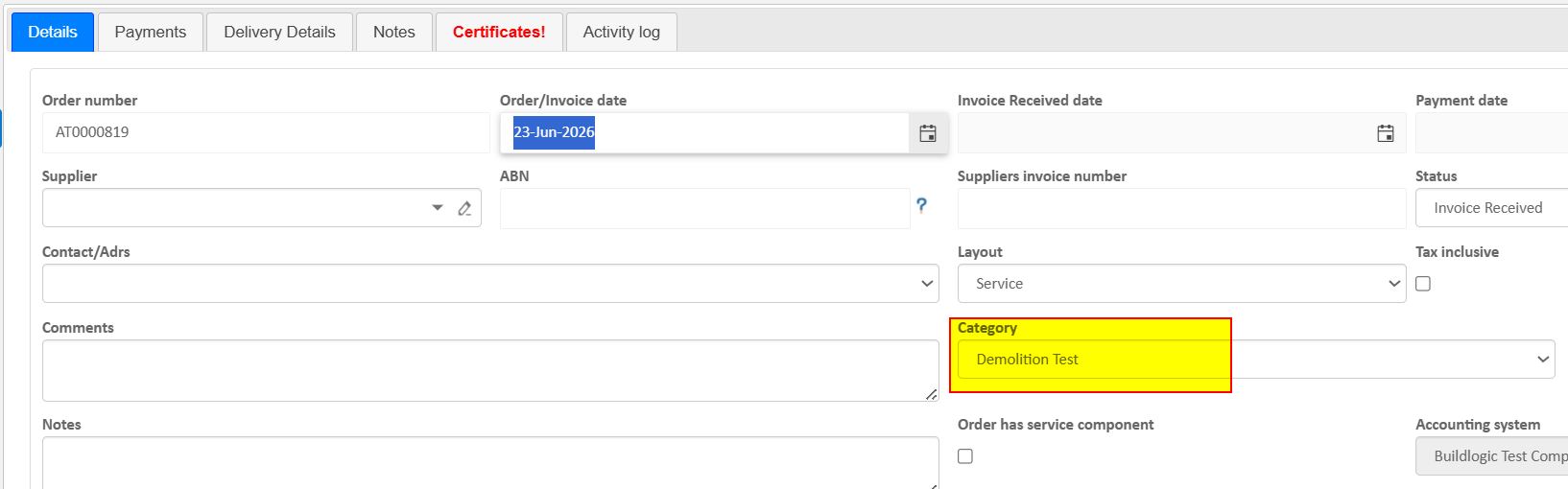
If a user has selected a job category, they system will automatically set this category on purchase orders that are opened on the job. Small QOL change.
Overspend Emails Now List Subcontractor Name

Was this article helpful?
That’s Great!
Thank you for your feedback
Sorry! We couldn't be helpful
Thank you for your feedback
Feedback sent
We appreciate your effort and will try to fix the article