Purchases with Invoices
A purchase order can now hold more than one invoice. Where an order used to mean a single bill, you can now record every invoice a supplier sends against the same order, and manage each one on its own.
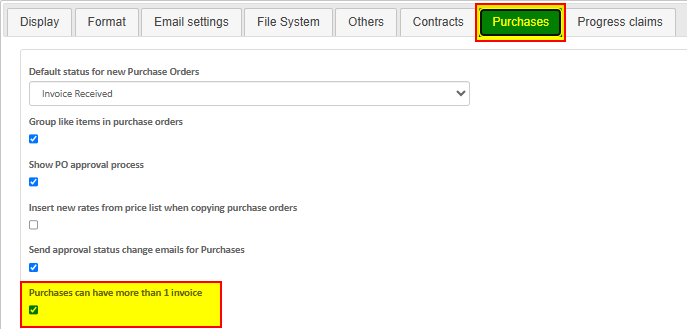
To turn it on, an admin user needs to navigate to System > Settings > Purchases tab and tick "Purchases can have more than 1 invoice". Once that's enabled, new purchase orders will use the multi-invoice style.
On a new-style order you'll see an Invoices tab in place of the old Payments tab. This is where you add each invoice the supplier bills you. Every invoice is automatically numbered off the order - for example AT0000872_001, then AT0000872_002 - so you can see at a glance how many bills have been raised and what they came to.

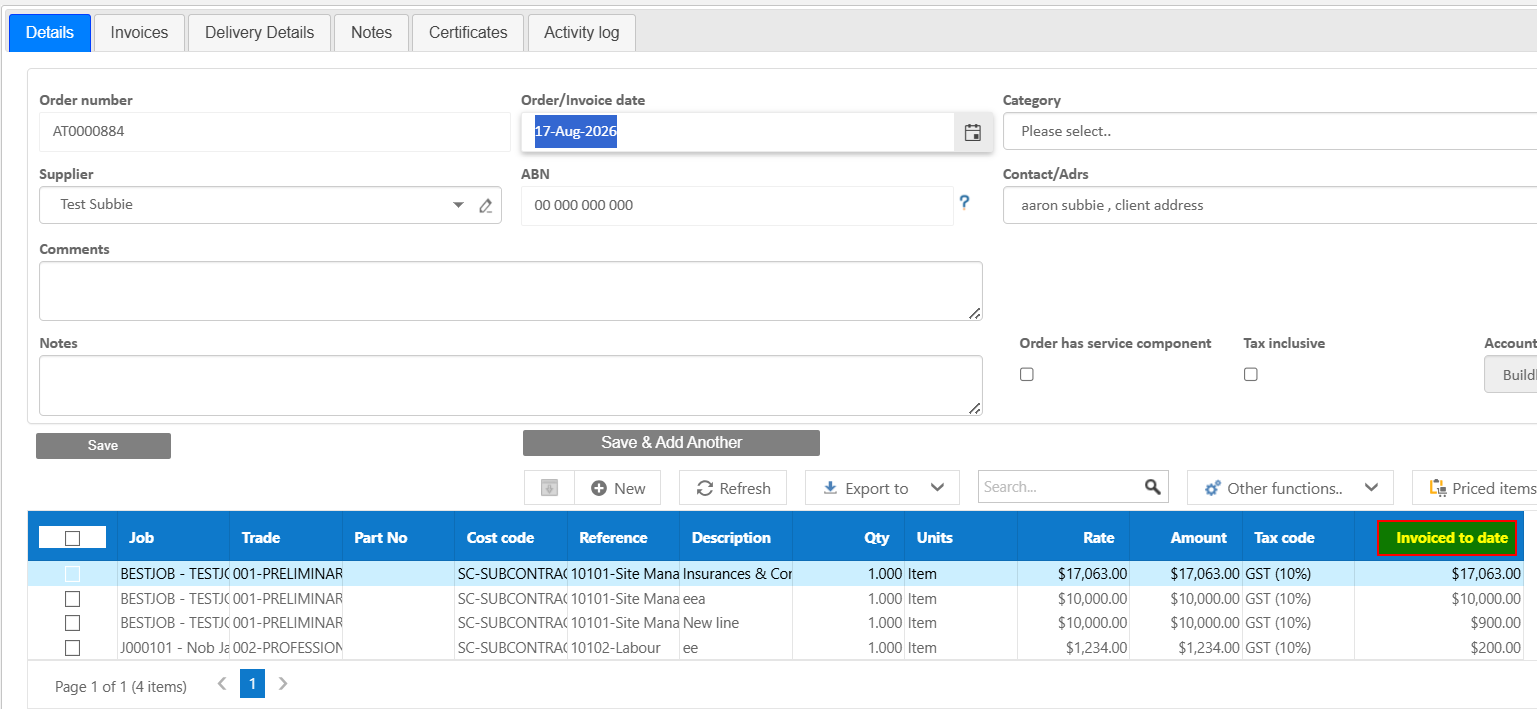
The order lines also show an Invoiced to date column, so you always know how much of the order has been billed and how much is left.
Each invoice is then handled independently. It runs through its own approval process and, once approved, is sent to your accounting system as its own transaction with its own reference. One invoice can be approved and sent while another on the same order is still being reviewed.
This is the key difference from subcontracts, where a user has to process and approve the previous claim before you can move on to the next. Purchase invoices don't work that way - because each invoice is its own process, you can approve and send whichever one is ready, whenever you're ready, without waiting on an earlier bill to clear first.
The old single-invoice style still works exactly as it always has, so nothing changes for the way you work today, unless you switch the setting on. Existing PO's will remain in the system as the original style and can be managed alongside new purchases with invoices.
If you'd like a hand getting set up, email us at support@buildlogic.com.au.
Was this article helpful?
That’s Great!
Thank you for your feedback
Sorry! We couldn't be helpful
Thank you for your feedback
Feedback sent
We appreciate your effort and will try to fix the article